More on this next week when the full written preview hits on Marooners' Rock, but I got offered a key for upcoming RTS title Raid On Coasts to do a preview. It's... well, look, just watch the video, all right?
Look, if you hand me an ugly baby and ask for my honest opinion, don't be offended if I tell you your baby's ugly.

In via praemium sum est - The journey is its own reward
Showing posts with label Steam. Show all posts
Showing posts with label Steam. Show all posts
Wednesday, March 14, 2018

Tuesday, March 6, 2018
Around the Web - The Void Rains Upon Her Heart Preview (Marooners' Rock)
Over on Marooners' Rock, I took a preview look at a new shmup/roguelike hybrid from indie developer Veyeral Games.

This is a really promising game, with some neat hybrid elements from both genres. It's going to be in Steam Early Access for the next year or so, but is already filled with more features than a lot of full releases. Check out the preview, and check out the game itself on Steam!
This is a really promising game, with some neat hybrid elements from both genres. It's going to be in Steam Early Access for the next year or so, but is already filled with more features than a lot of full releases. Check out the preview, and check out the game itself on Steam!
Wednesday, April 19, 2017
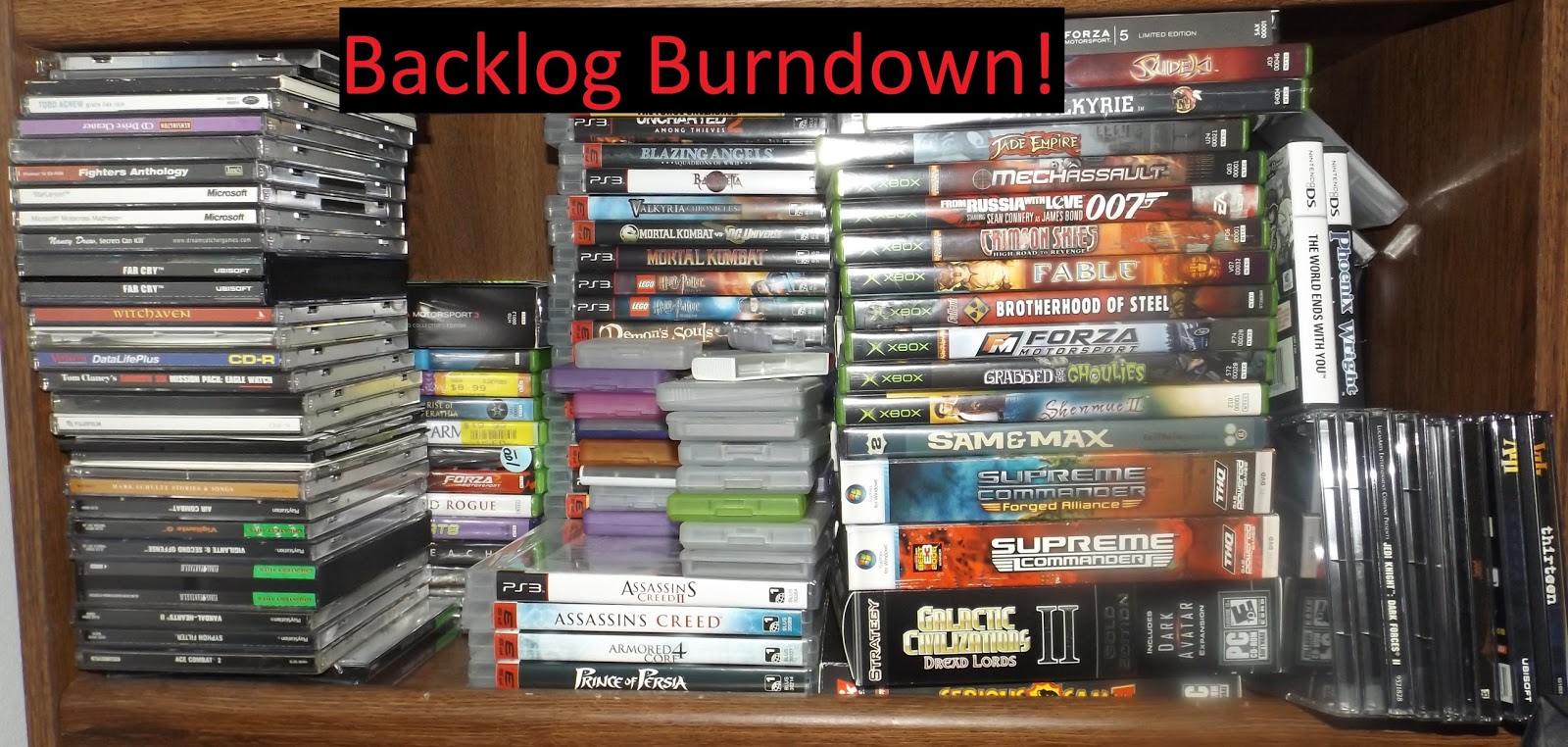
Backlog Burndown #21 - Invisible Knight on Marooner's Rock Today
This week I took on a triple play of games to keep momentum going in the right direction. So far, so good.
Backlog Burndown #21 - Invisible Knight

Backlog Burndown #21 - Invisible Knight
Thursday, August 4, 2016
How to Run X-Wing Vs TIE Fighter (XWvT) on a Modern PC
Over on my Twitch and Youtube channels, we're almost done with the full playthrough of TIE Fighter.
This, of course, means that it's time to start prepping for the next game, and since experience has taught me to not take for granted that a 20+ year old game will just work, that meant I spent last night prepping X-Wing Vs. TIE Fighter, specifically the Balance of Power single player campaign expansion, to work and be the next game in the playthrough.
Since I suspect there's been a few people encountering the kinds of problems I had, I'm putting up a helpful walkthrough of how to get XWvT running on a modern PC.
For the Steam Version:
1. Despite the helpful patch note from a year ago saying that they fixed AV programs showing a false positive and quarantining the game executable, it can still happen. My AV of choice still sees the main .exe of the game as a virus when downloaded from Steam. So Step 1, disable your anti-virus program, or add the XWvT binaries to its exception list.
2. Once you have the binaries, you'll probably get a No CD error when you try and start the game. To fix this, copy the original binaries from the XWvT and XWvT Balance of Power CDs that you've got in a dusty binder somewhere (You DO have the original CDROMs you bought in the '90s, right?) over the top of your Steam install.
3. Follow the instructions from this Steam community thread to add in the ddraw wrapper from X-Wing Alliance for optimal graphics.
4. Launch the game directly from the main binaries. Do whatever you do for good luck, and about 75% of the time, the game will get past the opening LucasArts and Totally Games logos and you can play.
For the Original CDROM version.
1. Copy everything from the CDROMs onto your hard drive.
2. Repeat Steps 3 & 4 from the Steam Instructions.
When you get sick and tired of trying these techniques, you can also do what I did, that ultimately works perfectly.
1. Navigate to gog.com.
2. Type in X-Wing vs TIE Fighter in the game search box
3. Purchase XWvT using your preferred method of payment.
4. Install GOG version.
5. Do copy over the ddraw wrapper as instructed in the Steam thread link, because it does make the game prettier.
6. Enjoy your game.
Note: This is not a paid endorsement of GoG.com. That said, after spending two hours trying other methods to get my Steam and original copies of XWvT to run properly, it was well worth the $10 I spent to pick up a third copy of the game that works flawlessly. Every. Single. Time.
This, of course, means that it's time to start prepping for the next game, and since experience has taught me to not take for granted that a 20+ year old game will just work, that meant I spent last night prepping X-Wing Vs. TIE Fighter, specifically the Balance of Power single player campaign expansion, to work and be the next game in the playthrough.
Since I suspect there's been a few people encountering the kinds of problems I had, I'm putting up a helpful walkthrough of how to get XWvT running on a modern PC.
For the Steam Version:
1. Despite the helpful patch note from a year ago saying that they fixed AV programs showing a false positive and quarantining the game executable, it can still happen. My AV of choice still sees the main .exe of the game as a virus when downloaded from Steam. So Step 1, disable your anti-virus program, or add the XWvT binaries to its exception list.
2. Once you have the binaries, you'll probably get a No CD error when you try and start the game. To fix this, copy the original binaries from the XWvT and XWvT Balance of Power CDs that you've got in a dusty binder somewhere (You DO have the original CDROMs you bought in the '90s, right?) over the top of your Steam install.
3. Follow the instructions from this Steam community thread to add in the ddraw wrapper from X-Wing Alliance for optimal graphics.
4. Launch the game directly from the main binaries. Do whatever you do for good luck, and about 75% of the time, the game will get past the opening LucasArts and Totally Games logos and you can play.
For the Original CDROM version.
1. Copy everything from the CDROMs onto your hard drive.
2. Repeat Steps 3 & 4 from the Steam Instructions.
When you get sick and tired of trying these techniques, you can also do what I did, that ultimately works perfectly.
1. Navigate to gog.com.
2. Type in X-Wing vs TIE Fighter in the game search box
3. Purchase XWvT using your preferred method of payment.
4. Install GOG version.
5. Do copy over the ddraw wrapper as instructed in the Steam thread link, because it does make the game prettier.
6. Enjoy your game.
Note: This is not a paid endorsement of GoG.com. That said, after spending two hours trying other methods to get my Steam and original copies of XWvT to run properly, it was well worth the $10 I spent to pick up a third copy of the game that works flawlessly. Every. Single. Time.
Subscribe to:
Posts (Atom)